
Help when
you need it.
Ask the support agent in your nail salon dashboard about bookings, payments, payroll or setup at any hour, report an issue from any page with a photo or video, and learn each task from the guide's short films.
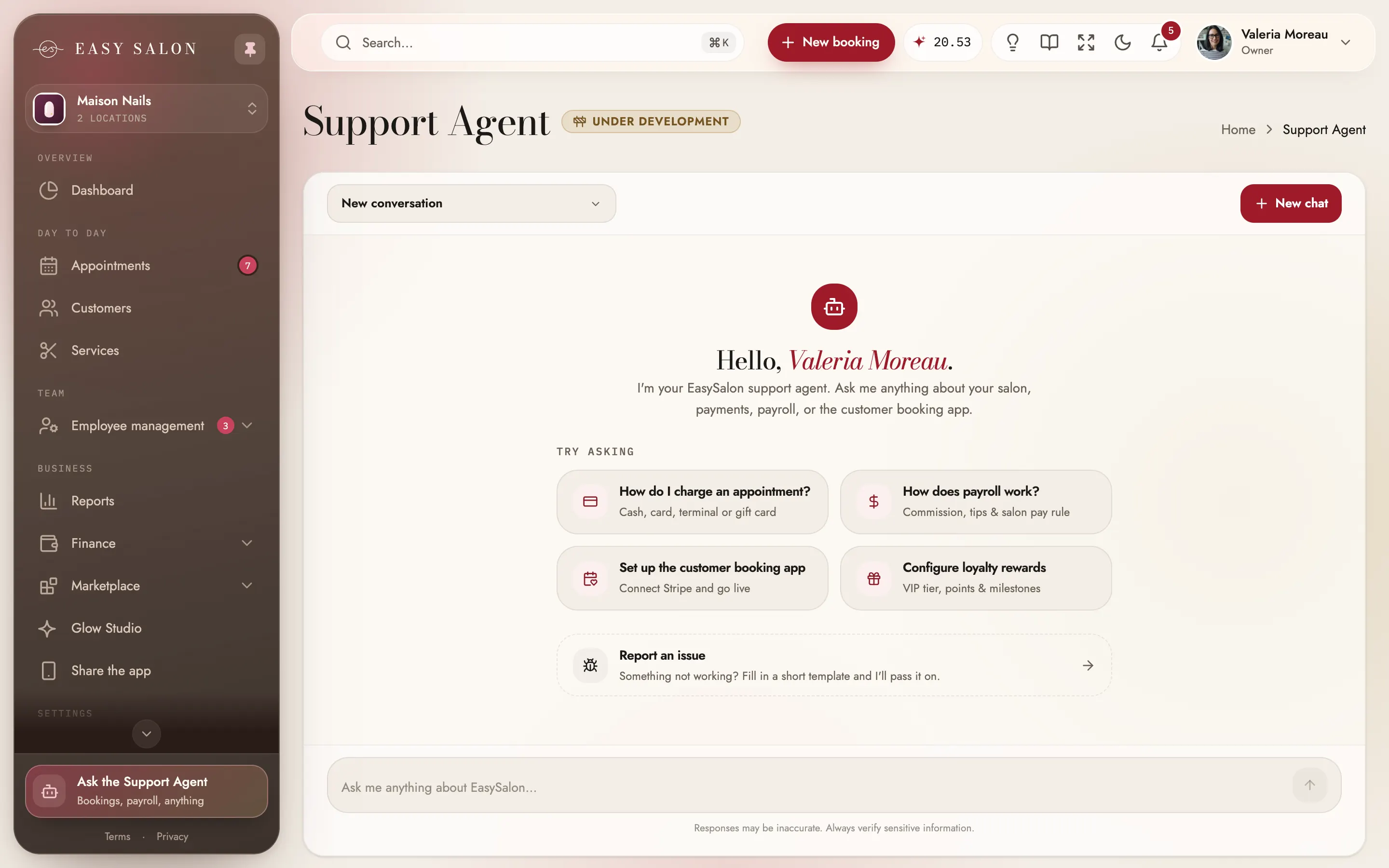
Nail salon software support without leaving the dashboard.
Questions come up mid-shift, so help sits where you work. The support agent is a chat inside the dashboard for the owner, with suggested questions to start from and your past chats saved; the user guide explains each page with short films; and any page can open Report an issue. Before you even start, our team helps you set up and brings your data across from the system you use now.
What you get.
Support agent
Answers about your salon, payments, payroll and the booking app, at any hour.
Chats saved
Every conversation is kept, so you can pick it up later.
Report an issue
From any page, with what happened, when, and a photo or video.
User guide & films
A guide with short films of everyday tasks.
Watch how
A Watch how link right where you need it.
Ask from search
Type a question in search and send it to the agent.
We move your data
We bring your clients, services and team over.
Write to us
Reach our team by email or WhatsApp from the contact page.
How it works in your nail salon.
- 01
Ask the agent
Type your question in the dashboard.
- 02
Watch how
Open the guide's film for the task.
- 03
Report it
Send an issue with a photo or video.
Who it helps.
Everyone in the salon sees Support & help from their own side.
The owner
Asks the support agent and follows the guide's films.
Front desk
Finds guide sections and films right from search.
Your whole team
Anyone can report an issue from the page they're on.
An answer at any hour
The support agent lives in your dashboard and answers questions about bookings, payments and payroll whenever you ask. Suggested questions get you started, and your chats are saved.
- Bookings, payments and payroll
- Suggested questions
- Saved conversations
Learn by watching
The user guide has short films of everyday tasks, and search finds guide sections with each film's length.
- Guide with films
- Found from search
- Page tours
Report an issue in a minute
Open Report an issue from the header or from search, say what happened and when, and add a photo or video so we see what you saw.
- From any page
- Photo or video attached
- Straight to our team
Help for your nail salon software, from the page you're on.
The support agent lives inside the dashboard and knows EasySalon: ask it how to set a commission, connect a card reader or share your booking link, and it answers in the chat, with your past conversations saved. Type a question into the dashboard's search and it hands it straight to the agent.
When something looks wrong, Report an issue opens from any page with a title, what happened and a photo or video, and reaches our team with everything they need. The user guide walks through each part of the dashboard with short films, and you can write to us by email or WhatsApp from the contact page. Switching from another system? We'll move your data for you as part of setup.
Make the most of it.
Small habits that help your nail salon get more out of it.
Add a screenshot
A photo or short video shows us exactly what you saw.
Ask from search
Type the question after ⌘K and send it to the agent, already filled in.
Watch before you start
A short film shows a new task faster than reading about it.
Questions about Support & help
Is support included?
Do you move my data?
How do I report a problem?
Who can use the support agent?
Is the dashboard in Spanish?
How do I reach a person?
Works with the rest of EasySalon.
Support & help shares its data with these, so every part of the salon stays in step.
More in Dashboard
All features →- Live metrics & statisticsSales, clients and retention, live, per salon or all of them.
- Appointments calendarTeam day, list, month, week and day views, with drag and drop.
- Right-click actions & searchRight-click anywhere for quick actions; search that understands the front desk.
- Clients & servicesClient profiles, visits and rewards, plus your full service menu.
- Service menuServices, combos, add-ons and photos, shown the way clients will see them.
- Staff scheduling & teamTeam, schedules, time off and locations. You only pay for nail techs.
- Payroll, commission & tipsCommission, tips and no-show fees per tech, added up for you.
- Payments & readersStripe readers branded to your salon, every way clients pay, and Manual card.

Ready when you are.
Set up in about ten minutes. Start at 50% off for 3 months. We'll move your data for you.
Get started