Nail salon staff scheduling software that moves the paper schedule off the wall.
Build the weekly schedule in minutes, let techs set availability from their phones, and see every shift and open chair in real time — all in the same nail salon platform your booking and payroll run on.
The problem
The paper schedule on the break-room wall isn't running the salon — you are
Manual scheduling creates a chain of phone calls and coverage gaps that pulls you away from the chair.
Techs call about their shifts
The schedule gets photographed and texted. A tech forgets to save it. You get a call at 8 am asking what time she starts. Times like this add up to hours a week.
Last-minute coverage gaps
A tech calls out sick on Saturday morning. You start texting down a list of people who might be available. By the time someone confirms, the morning rush has already started without enough hands.
Owner manually tracks availability
You maintain a mental map of who can work which days. When a tech's availability changes — new school schedule, second job — you update the paper and hope the group chat catches it.
What EasySalon does
Digital scheduling every tech can see from their phone
Build the schedule once, publish it, and let EasySalon handle the 'what time do I work?' texts.
- Drag-and-drop schedule builder with per-tech shift rows
- Techs set their own availability from the EasySalon mobile app
- Schedule published instantly — every tech sees it the moment it goes live
- Shift change notifications sent automatically when the owner edits a shift
- Owner sees real-time view of who is clocked in and at which chair
- Schedule integrates with booking so clients only see open chairs
- Coverage request board: owner posts open shifts, techs claim them
- Shift history exportable for payroll and HR records
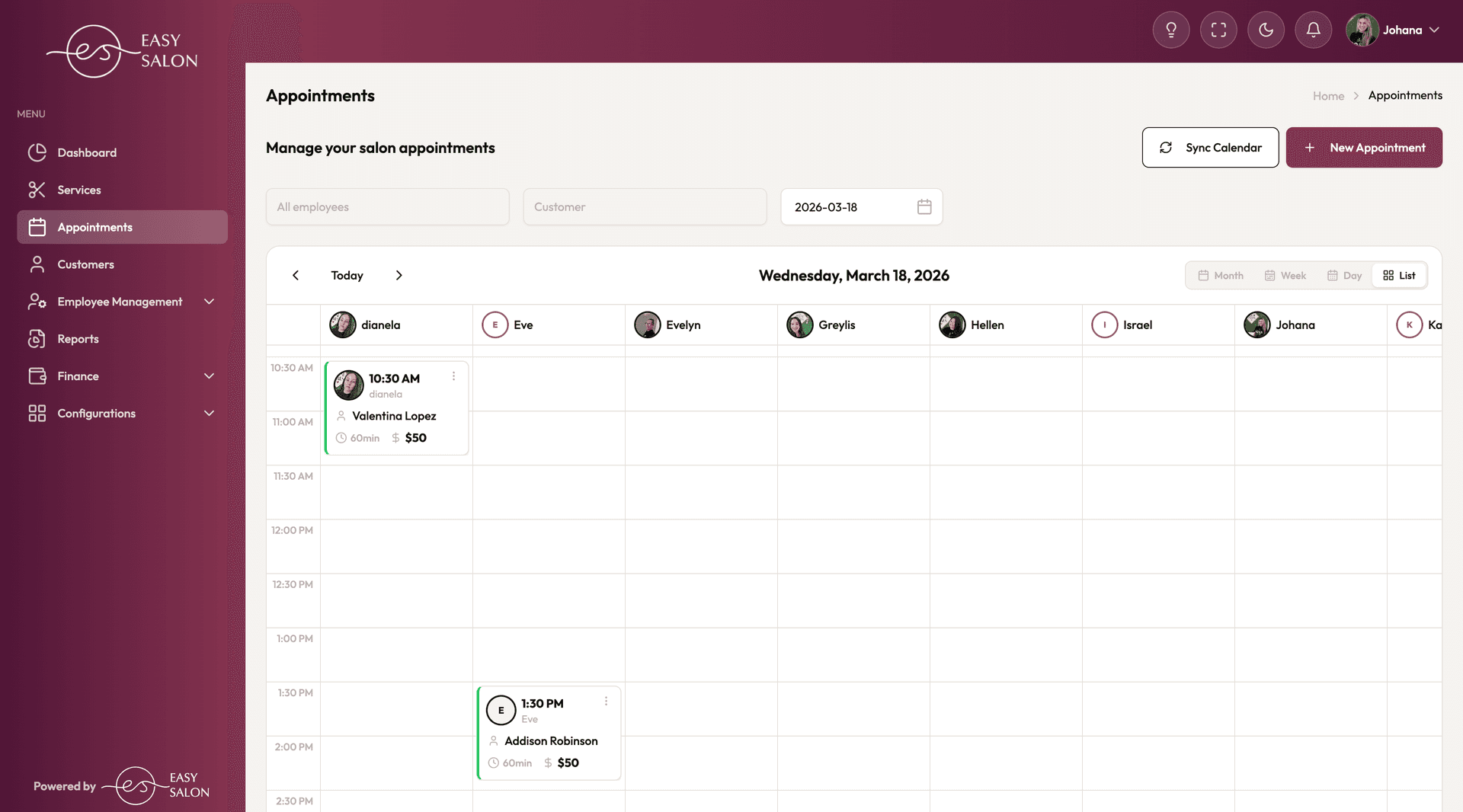
Appointments calendar: every tech's day at a glance — see who's booked, who has gaps, and drop in new appointments without double-booking.
Day-to-day
What nail salon staff scheduling looks like in practice
Three moments where EasySalon keeps the salon running without you in the middle.
Rotating weekend schedule set on Sunday night
Every Sunday night the owner opens the schedule builder, adjusts the weekend rotation, and publishes. Every tech gets a push notification with their shifts for the week. Nobody texts asking about Saturday hours.
Tech checks her shift morning-of from her phone
A tech wakes up and opens the EasySalon app to confirm her start time. She sees her shift, her first booking, and the current chair assignments — without calling the front desk or the owner.
Owner covers a sick call in 10 minutes
A tech calls out Saturday morning. The owner posts the open shift on the coverage board. Two available techs see the notification and claim it. The owner approves the first one, the schedule updates, and the client calendar adjusts — before the first walk-in arrives.
Related features
Scheduling connects to payroll and booking
A tech's schedule drives who's available to book and who's counted in payroll. Here is how it links up.
Staff Scheduling FAQ
Nail salon staff scheduling questions, answered
Not seeing your question? Email support@easysalon.us — same-day reply.
Yes. Each tech has an availability section in the EasySalon mobile app where she marks the days and hours she's available to work. The owner sees all availability requests in the schedule builder and confirms or adjusts before publishing the final schedule.
EasySalon notifies every tech when a schedule is published and when their specific shifts change. Techs can see their upcoming shifts in the app at any time without contacting the owner.
They're the same system. When a tech is not scheduled, she does not appear as bookable. When she's scheduled and fully booked, new bookings route to the next available tech. The client-facing booking page always reflects the live schedule.
Yes. Techs clock in and out through the EasySalon app. Hours are recorded against their schedule and feed into the hourly component of payroll automatically at the end of the pay period.
The owner posts the open shift on the coverage board. Techs who are available that day receive a notification and can claim the shift. The owner approves the claim, and the schedule updates immediately — including the client-facing booking calendar.
Stop being the scheduler, the dispatcher, and the backup tech all at once.
Start a free trial of EasySalon and let your nail salon staff schedule itself — from shift publishing to coverage requests to payroll hours.
Free 14-day trial · Card required · Cancel anytime