Nail salon no-show policy software that protects every chair you've filled.
Capture a deposit at the moment of booking, set your own grace period, and let EasySalon auto-charge the Stripe card on no-show — so a last-minute cancellation doesn't leave your tech sitting empty.
The problem
Empty chairs cost money — but so does chasing clients yourself
No-shows and last-minute cancellations are the most direct hit on nail salon revenue, and the current tools don't do enough.
No card on file means no recourse
A client no-shows on a fully-booked Saturday. You have no card on file. You text her, she doesn't respond. The chair sat empty and the tech loses that service from her commission.
Holiday weekends get wrecked
Valentine's Day, Mother's Day, Christmas Eve — your highest-demand days are also the days clients are most likely to double-book and bail on the one they remember last. With no deposit system, you have no protection.
Cancellation policies posted on the wall don't stick
A sign that says 'Please cancel 24 hours in advance' is not a policy. Without a deposit or a card on file, it's just a polite suggestion that clients know has no consequence.
What EasySalon does
Deposits at booking, auto-charge on no-show, zero phone calls
Configure your no-show policy once. EasySalon enforces it at every booking without you doing anything.
- Deposit capture at booking — fixed amount or percentage, you choose
- Grace period setting: clients can cancel within the window for a full refund
- No-show auto-charge: Stripe charges the card on file automatically
- Cancellation window: you set how many hours in advance is 'on time'
- Late-cancel partial charge: charge a portion if they cancel inside the window
- Deposit posts to the tech's payroll totals — protected revenue, protected payday
- Client receives deposit policy at booking — sets expectations before the appointment
- Override option: owner can waive a charge for a loyal client without a refund request
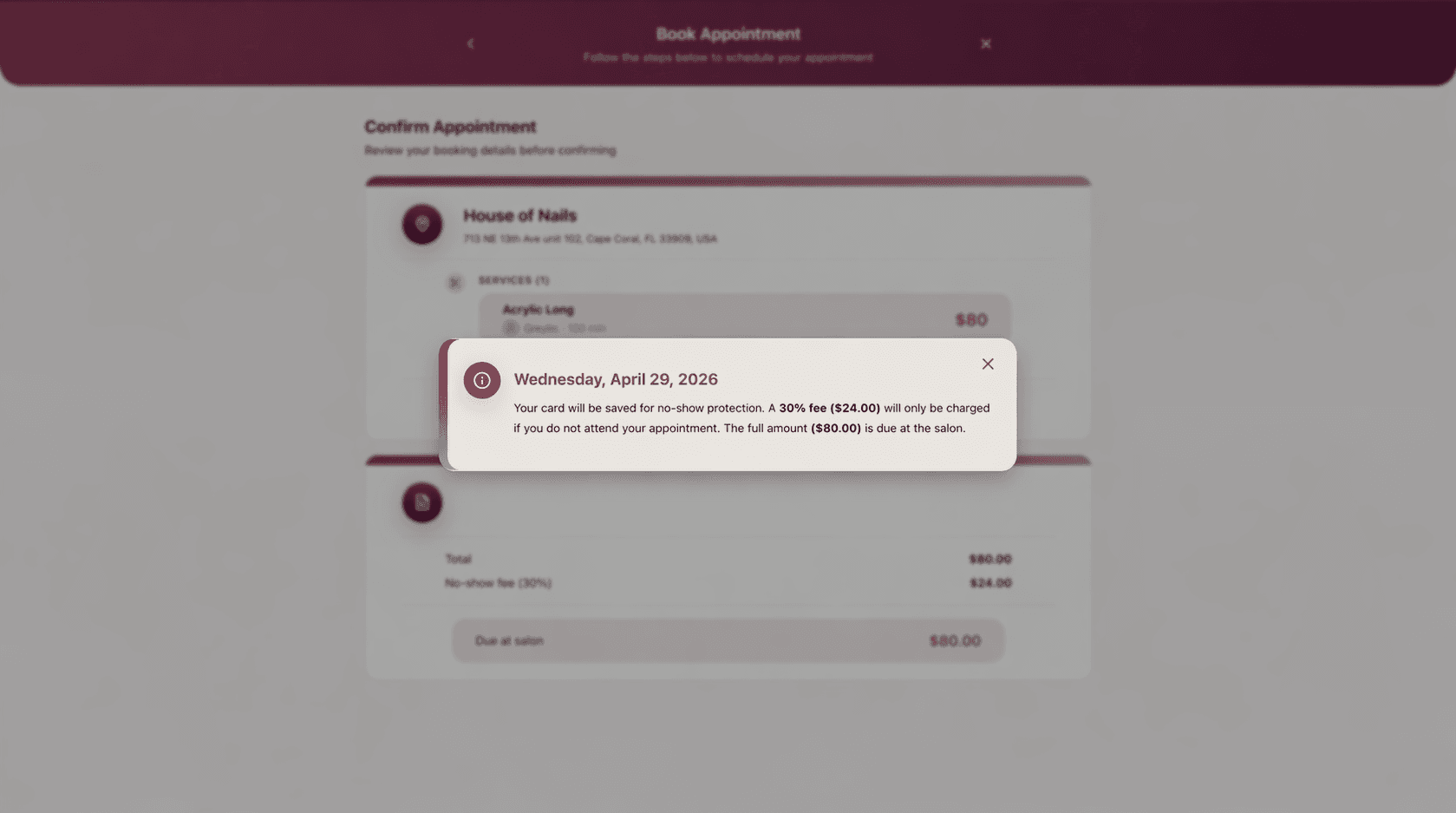
Clients see the no-show policy at booking time — card saved, 30% fee auto-charged only if they skip. No awkward conversations, no lost revenue.
Day-to-day
What no-show protection looks like in practice
Three scenarios where EasySalon's no-show policy pays for itself on the first occurrence.
Holiday week fully secured with deposits
You turn on required deposits for the week of Mother's Day. Every client who books online captures a $20 deposit through Stripe. When a client no-shows Saturday afternoon, EasySalon auto-charges the full service balance to the card on file within seconds. You find out when you check your phone, not when the tech sits empty.
Client cancels inside the grace window — partial charge applies
A client cancels 3 hours before her appointment, inside your 24-hour window. EasySalon charges the late-cancel fee you configured (50% of the service price). The client receives a receipt. No conversation required, no awkward phone call.
Loyal regular cancels — owner waives with one tap
A long-time client texts that she's sick and cancels same-day. The owner opens EasySalon, finds the appointment, and taps 'waive charge.' The deposit refunds instantly. The regular books again next week. The exception took 10 seconds and preserved the relationship.
Related features
No-show protection works with booking and payroll
Deposits captured at booking flow into the tech's payroll — here is the full chain.
No-Show Protection FAQ
Nail salon no-show policy software questions, answered
Not seeing your question? Email support@easysalon.us — same-day reply.
When a client books online, EasySalon displays your deposit policy during the final booking step and asks for a card. Stripe holds or captures the deposit amount you configured. The client receives a confirmation that includes the cancellation policy and deposit terms.
When an appointment passes its scheduled time without a check-in, EasySalon marks it as a no-show after the grace period you set. Stripe automatically charges the card on file for the no-show amount — the full service price, the deposit, or a custom fee, depending on your settings. You receive a notification.
Yes. You can configure different deposit requirements and cancellation windows per service category or apply a blanket rule to all bookings. Many owners run stricter policies during high-demand periods like holidays and loosen them during slower weeks.
If a client cancels before the window you set — for example, more than 24 hours in advance — EasySalon automatically refunds the deposit to her card through Stripe. No manual action required. She receives a refund confirmation by text or email.
Yes. Any charge can be waived by the owner from the appointment screen in EasySalon. The waive action refunds or voids the charge through Stripe immediately. It is logged for audit purposes so you have a record of exceptions.
Stop leaving holiday chairs empty for free.
Start a free trial of EasySalon and protect every appointment with a deposit, a grace period, and an auto-charge that runs itself — all through Stripe.
Free 14-day trial · Card required · Cancel anytime